Linux Distribution In Hindi | What is Linux Distribution ? | Linux Tutorial By Mr coder rohit
Linux Distribution > What Is Linux Distribution In Hindi
If you’ve heard anything at all about Linux, you’ve probably heard of Linux distributions – often shortened to “Linux distros.” When deciding to use Linux – on a desktop computer or server – you’ll first need to choose a distro.
For many people, Ubuntu has become synonymous with Linux. But Ubuntu is one of many distros, and you have a lot of choice when it comes to Linux.
What Is a Linux Distro, Anyway?
Linux isn’t like Windows or Mac OS X. Microsoft combines all the bits of Windows internally to produce each new release of Windows and distributes it as a single package. If you want Windows, you’ll need to choose one of the versions Microsoft is offering.
Advertisement
Linux works differently. The Linux operating system isn’t produced by a single organization. Different organizations and people work on different parts. There’s the Linux kernel (the core of the operating system), the GNU shell utilities (the terminal interface and many of the commands you use), the X server (which produces a graphical desktop), the desktop environment (which runs on the X server to provide a graphical desktop), and more. System services, graphical programs, terminal commands – many are developed independently from another. They’re all open-source software distributed in source code form.
If you wanted to, you could grab the source code for the Linux kernel, GNU shell utilities, Xorg X server, and every other program on a Linux system, assembling it all yourself. However, compiling the software would take a lot of time – not to mention the work involved with making all the different programs work properly together.

Linux distributions do the hard work for you, taking all the code from the open-source projects and compiling it for you, combining it into a single operating system you can boot up and install. They also make choices for you, such as choosing the default desktop environment, browser, and other software. Most distributions add their own finishing touches, such as themes and custom software – the Unity desktop environment Ubuntu provides, for example.
When you want to install new software or update to new versions of software with important security updates, your Linux distribution provides them in precompiled, packaged form. These packages are fast and easy to install, saving you from doing the hard work yourself.

How Are The Distrow Diffrent ?
There are multiple different Linux distributions. Many have different philosophies – some, like Fedora, refuse to include closed-source software, while others, like Mint, include closed-source stuff to make it easier on users. They include different default software – like how Ubuntu includes Unity, Ubuntu derivatives include other desktop environments, Fedora includes GNOME Shell, and Mint includes Cinnamon or MATE.

Click Here To Watch More In Hindi =>>>>
Many also use different package managers, configuration utilities, and other software. Some distributions are bleeding edge and won’t receive support for very long. Others, such as Ubuntu LTS or Red Hat Enterprise Linux, are designed to be stable distributions that will be supported with security updates and bug fixes for many years.
Some Linux distributions are intended for desktop computers, some for servers without a graphical interface, and others for special uses, such as home theater PCs.

Some are designed to work out of the box – like Ubuntu – while others require a bit more tweaking, such as Arch Linux.
THE BEST TECH NEWSLETTER ANYWHERE
Join 425,000 subscribers and get a daily digest of features, articles, news, and trivia.
Sign Me Up!
By submitting your email, you agree to the Terms of Use and Privacy Policy.
What Distro ?
Different Linux distributions are suited for different purposes. Which Linux distribution you should choose will depend on what you’re doing with it and your personal preferences.
Advertisement
If you’re a desktop user, you’ll probably want something simple, like Ubuntu or Mint. Some people may prefer Fedora, openSUSE, or Mageia (based on Mandriva Linux).

People looking for a more stable, well-tested system may want to go with Debian, CentOS (a free version of Red Hat Enterprise Linux), or even Ubuntu LTS.
There’s no one right distribution for everyone, although everyone has a favorite. Linux distributions offer choice, which can be messy, but also very useful. Anyone can make their own distribution by assembling it from the source code themselves, or even taking an existing distribution and modifying it – that’s why there are so many Linux distributions.
READ NEXT
As a free and open-source operating system, Linux has spawned several distributions over time, spreading its wings to encompass a large community of users. From desktop/home users to Enterprise environments, Linux has ensured that each category has something to be happy about.
This guide highlights 10 Linux distributions and aims to shed light on who their targeted users are.
1. Debian
Debian is renowned for being a mother to popular Linux distributions such as Deepin, Ubuntu, and Mint which have provided solid performance, stability, and unparalleled user experience. The latest stable release is Debian 10.5, an update of Debian 10 colloquially known as Debian Buster.
Note that Debian 10.5 does not constitute a new version of Debian Buster and is only an update of Buster with the latest updates and added software applications. Also included are security fixes that address pre-existing security issues. If you have your Buster system, there’s no need to discard it. Simply perform a system upgrade using the APT package manager.
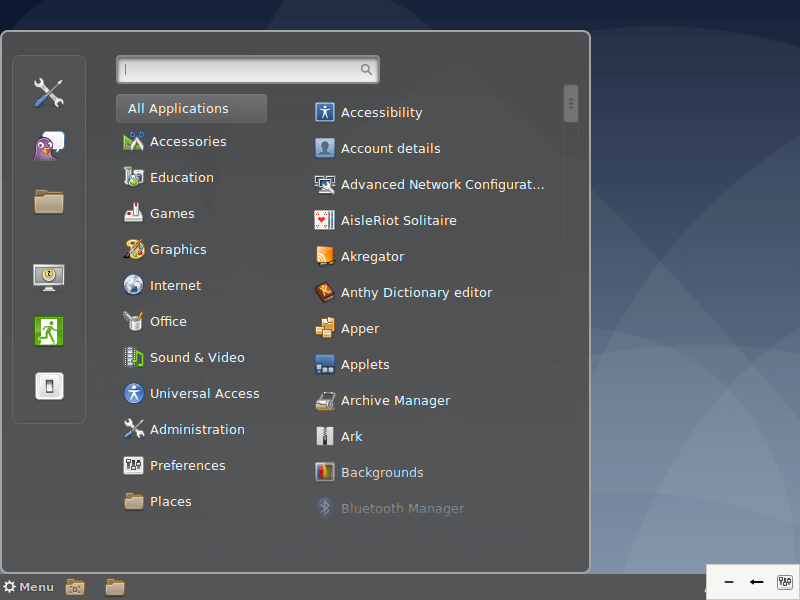
The Debian project provides over 59,000 software packages and supports a wide range of PCs with each release encompassing a broader array of system architectures. It strives to strike a balance between cutting edge technology and stability. Debian provides 3 salient development branches: Stable, Testing, and Unstable.
The stable version, as the name suggests is rock-solid, enjoys full security support but unfortunately, does not ship with the very latest software applications. Nevertheless, It is ideal for production servers owing to its stability and reliability and also makes the cut for relatively conservative desktop users who don’t really mind having the very latest software packages. Debian Stable is what you would usually install on your system.
Debian Testing is a rolling release and provides the latest software versions that are yet to be accepted into the stable release. It is a development phase of the next stable Debian release. It’s usually fraught with instability issues and might easily break. Also, it doesn’t get its security patches in a timely fashion. The latest Debian Testing release is Bullseye.
The unstable distro is the active development phase of Debian. It is an experimental distro and acts as a perfect platform for developers who are actively making contributions to the code until it transitions to the ‘Testing’ stage.
Overall, Debian is used by millions of users owing to its package-rich repository and the stability it provides especially in production environments.
Download Debian ISO Images: http://www.debian.org/distrib/.
2. Gentoo
Gentoo is a distro built for professional use and experts who take into consideration what packages they are working with from the word go. This category includes developers, system & network administrators. As such, it’s not ideal for beginners in Linux. Gentoo comes recommended for those who want to have a deeper understanding of the ins and outs of the Linux operating system.
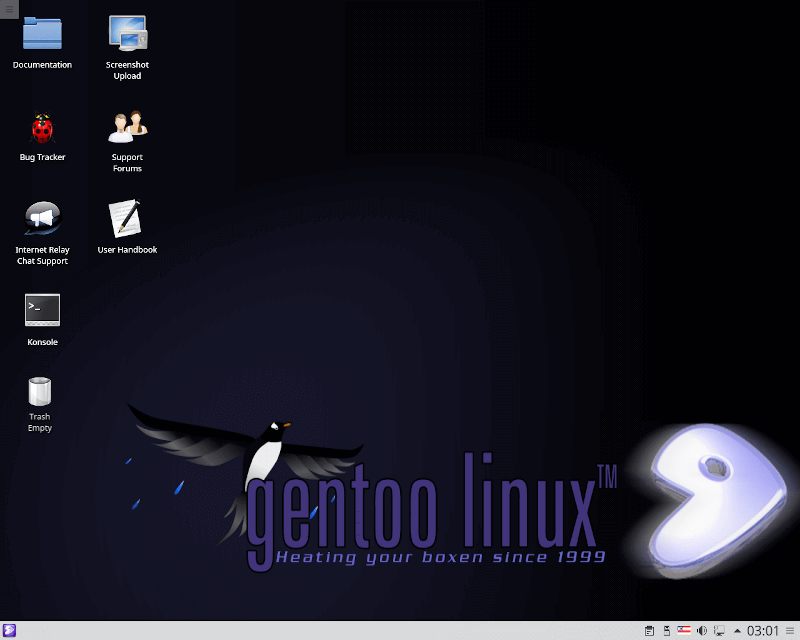 Gentoo Linux
Gentoo ships with a package management system known as portage which is also native to other distros such as Sabayon, and Calculate Linux which is based on Gentoo and backward-compatible with it. It is Python-based and based on the ports’ collections concept. Port collections are sets of patches and makefiles provided for by BSD-based distros such as OpenBSD and NetBSD.
Download and Installation of Gentoo: http://www.gentoo.org/main/en/where.xml.
3. Ubuntu
Created and maintained by Canonical, Ubuntu is one of the most popular Linux distros enjoyed across the globe by beginners, intermediate users, and professionals alike. Ubuntu was specifically designed for beginners in Linux or those transitioning from mac and Windows.
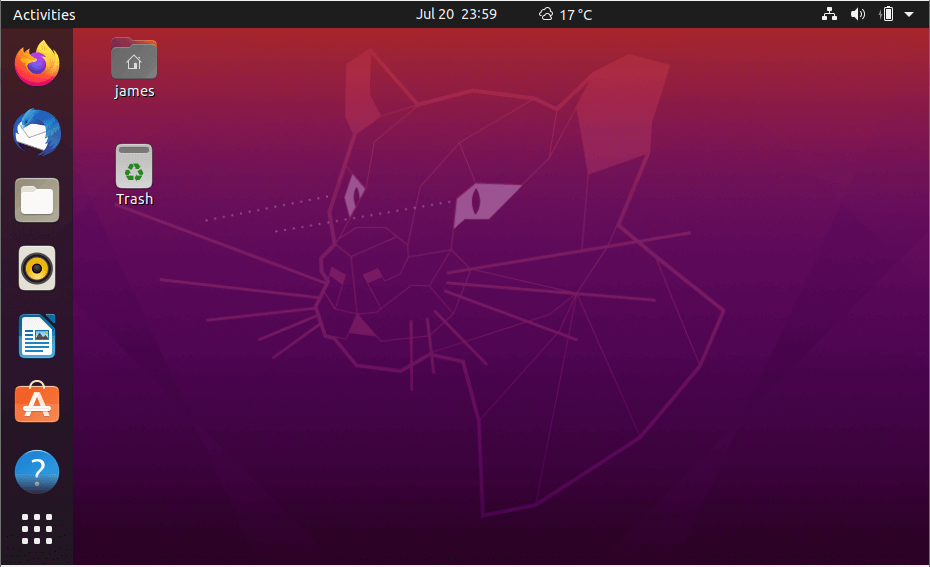 Ubuntu Linux
By default, Ubuntu ships with GNOME desktop environment with every day out-of-the-box applications such as Firefox, LibreOffice, and image editing applications such as GIMP, music players, and video players such as Audacious and Rhythmbox.
The latest version is Ubuntu 20.04 LTS codenamed Focal Fossa. It provides numerous improvements and new features such as the new Yaru theme, new look and polished icons, great support for Snap packages, and the fractional scaling functionality that provides support for high-resolution displays.
Ubuntu forms the basis of several other Linux distributions. Some of the distributions based on Ubuntu 20.04 include Lubuntu 20.04 LTS, Kubuntu 20.04, and Linux Mint 20.04 LTS (Ulyana).
Due to its user-friendliness and elegant UI, Ubuntu is ideal for desktop users and newcomers who are trying to wrap their head around Linux. They can readily get started with default Apps as stated earlier on as they work their way towards getting a better understanding of Linux.
It’s worth mentioning Ubuntu Studio which is geared towards multimedia production. It targets creatives who are looking to make a career in graphics, photography, audio, and video production.
Download Ubuntu ISO image: https://ubuntu.com/download/desktop.
4. Linux Mint
Linux Mint is a hugely popular community-driven Linux distro based on Ubuntu. It has transcended time to provide one of the most elegant, and user-friendly distributions loved by desktop users and professionals alike. Despite the controversy surrounding the latest release – Mint 20 – dropping snap support by default, Mint remains a stable, powerful and outstanding Linux distribution.
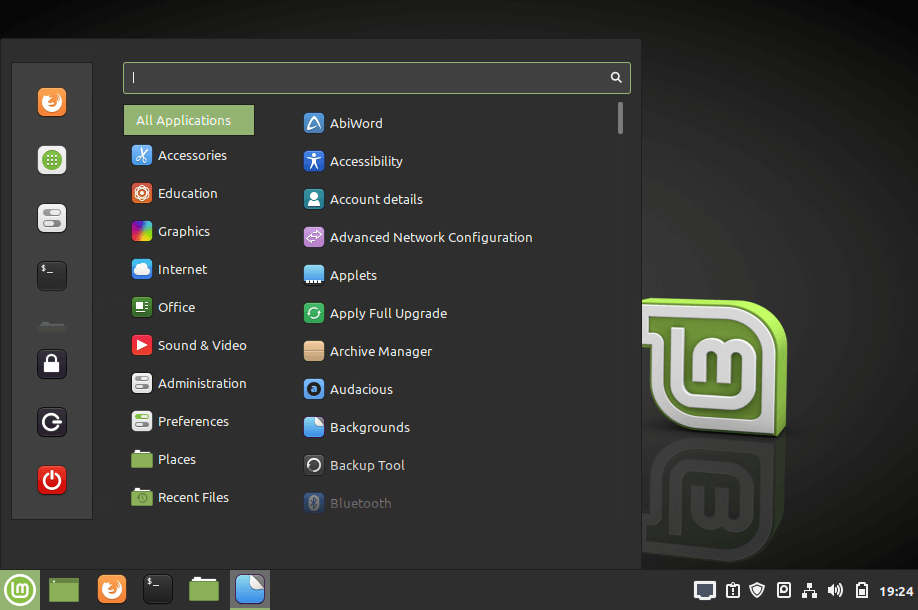
Linux Mint Desktop
To enable snap support, simply run the commands:
$ sudo rm /etc/apt/preferences.d/nosnap.pref $ sudo apt update $ sudo apt install snapd
Based on Ubuntu 20.04 LTS, Mint 20 is available in 3 desktop editions – Cinnamon, XFCE and MATE editions. Mint has dropped support for 32-bit versions and is only available in 64-bit. Under the hood, Linux Mint 20 rides on Linux kernel 5.4 with new enhancements such as improved support for AMD Navi 12, Intel Tiger Lake CPU and NVIDIA GPU. Additionally, the general UI has received a revamp with polished icons, new themes, high-resolution background images and a retouched taskbar.
New features include Warpinator, which is a file-sharing program that works in a LAN and fractional scaling feature for HiDPI displays to enjoy sharper and crisp images. You will also get other applications for everyday use such as Firefox, LibreOffice, Audacious music player, Timeshift, and Thunderbird.
If you want a fast and stable Linux desktop to perform day-to-day desktop tasks, listening to music, watching videos, and even gaming, Mint is the go-to distribution. Mint 20 is a long term release and will receive support until 2025. We have an article on how to install Mint 20 on your PC.
Download Linux Mint ISO Image – https://linuxmint.com/download.php
5. Red Hat Enterprise Linux
Abbreviated as RHEL, Red Hat Enterprise Linux is a Linux distro designed for Enterprise or commercial purposes. It’s one of the leading open-source alternatives to other proprietary systems such as Microsoft. Red Hat is usually a top choice for server environments given its stability and regular security patches which boost its overall security.
RHEL Linux Distribution
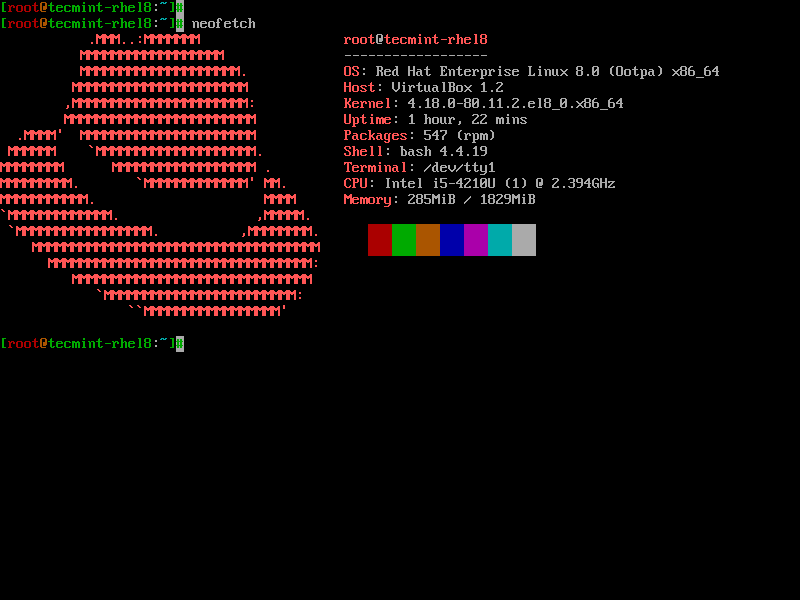
You can readily set it up on physical servers, virtual environments such as VMware, HyperV, and also on the cloud. Red Hat has done a perfect job in containerization technology thanks to OpenShift PaaS (platform as a service), a hybrid cloud environment that is built around Docker containers and managed by Kubernetes.
Redhat trains and certifies system administrators through specialist courses such as RHCSA (Red Hat Certified System Administrators) and RHCE (Red Hat Certified Engineer).
Where efficiency, security, and stability are of utmost priority RHEL is the ideal distro to opt for. RHEL is subscription-based and the subscription is renewed annually. You can purchase a license for an array of subscription models such as Linux Developer Workstation, Linux developer suite, and Linux for Virtual Datacenters.
Traditionally, Red Hat and its derivatives such as CentOS have used yum package manager. Things have changed now and the latest release – RHEL 8 (Ootpa) – now uses DNF as its default package manager. RHEL is distributed using 2 main repositories – AppStream repository and the BaseOS.
The AppStream repository (Application Stream) provides all the software applications that you want to install on your system while the BaseOS provides applications only for the core functionality of the system.
Additionally, you can also download and try out RedHat for free by through the Red Hat developer program.
6. CentOS
The CentOS Project is a community-driven free operating system that aims at delivering a robust and reliable open source ecosystem. Based on RHEL, CentOS is a perfect alternative to Red Hat Enterprise Linux since it is free to download and install. It gives users the stability and reliability of RHEL while allowing them to enjoy free security and feature updates. CentOS 8 is a favourite among Linux enthusiasts who want to savour the benefits of RHEL.
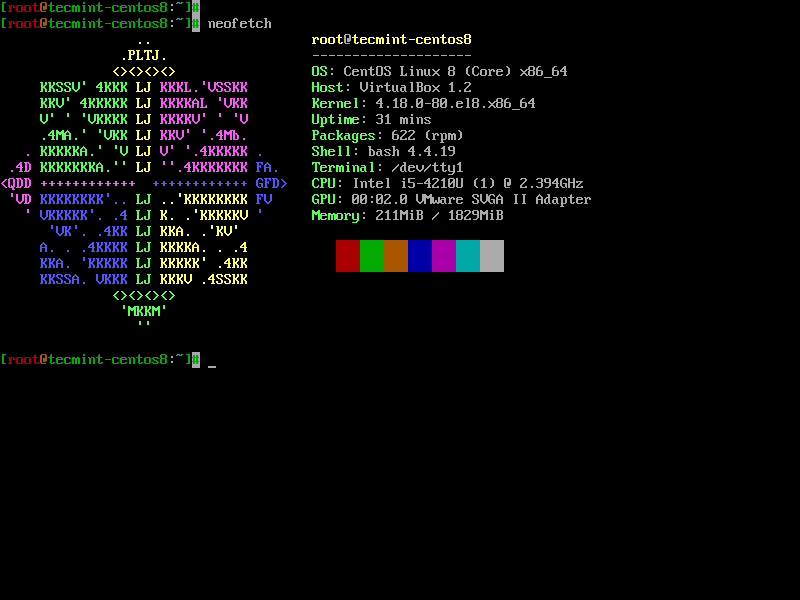 CentOS Linux Distribution
The latest version is CentOS 8.2 which is the third iteration of CentOS 8. It relies on App stream and BaseOS repositories and ships with the latest software packages such as Python 3.8, GCC 9.1, Maven 3.6, etc.
Download CentOS 8 – https://www.centos.org/centos-linux/.
7. Fedora
Fedora has enjoyed a reputation for being one of the most user-friendly distros for quite a while now owing to its simplicity and out-of-the-box applications which enable newcomers to easily get started.
It’s a powerful and flexible operating system that’s tailored for desktops & laptops, servers, and even for IoT ecosystems. Fedora, just like CentOS, is based on Red Hat and is in fact, a testing environment for Red Hat before transitioning to the Enterprise phase. As such, it’s usually used for development and learning purposes and comes in handy for developers and students.
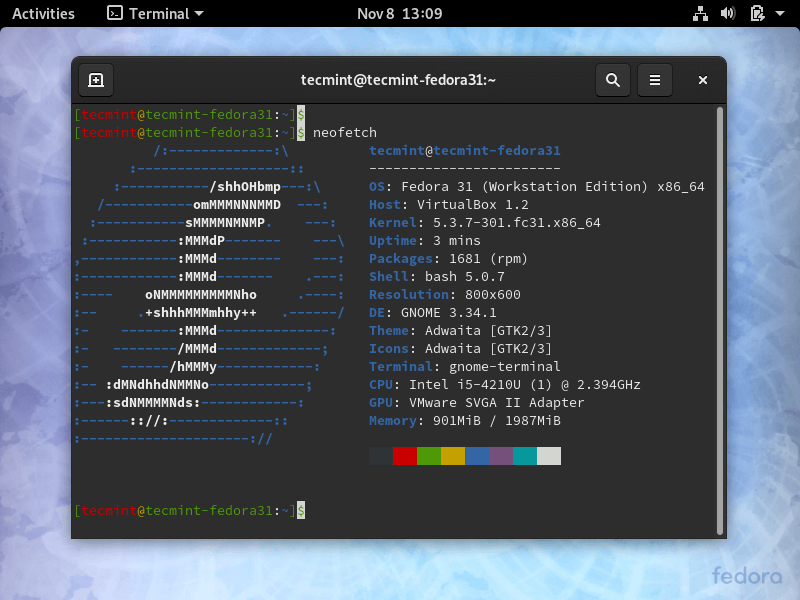 Fedora Linux Distribution
Fedora has for a while now used the DNF package manager ( and still uses it as its default package manager) and offers the latest and the very best in RPM software packages. The latest Fedora is Fedora 32.
Download Fedora Linux – https://getfedora.org/.
8. Kali Linux
Developed and maintained by offensive security, Kali Linux is a Debian-based Linux distro designed for penetration testing and conducting digital forensics. It ships with out-of-the-box tools meant for penetration testing such as Nmap, Metasploit Framework, Maltego, and Aircrack-ng to mention a few.
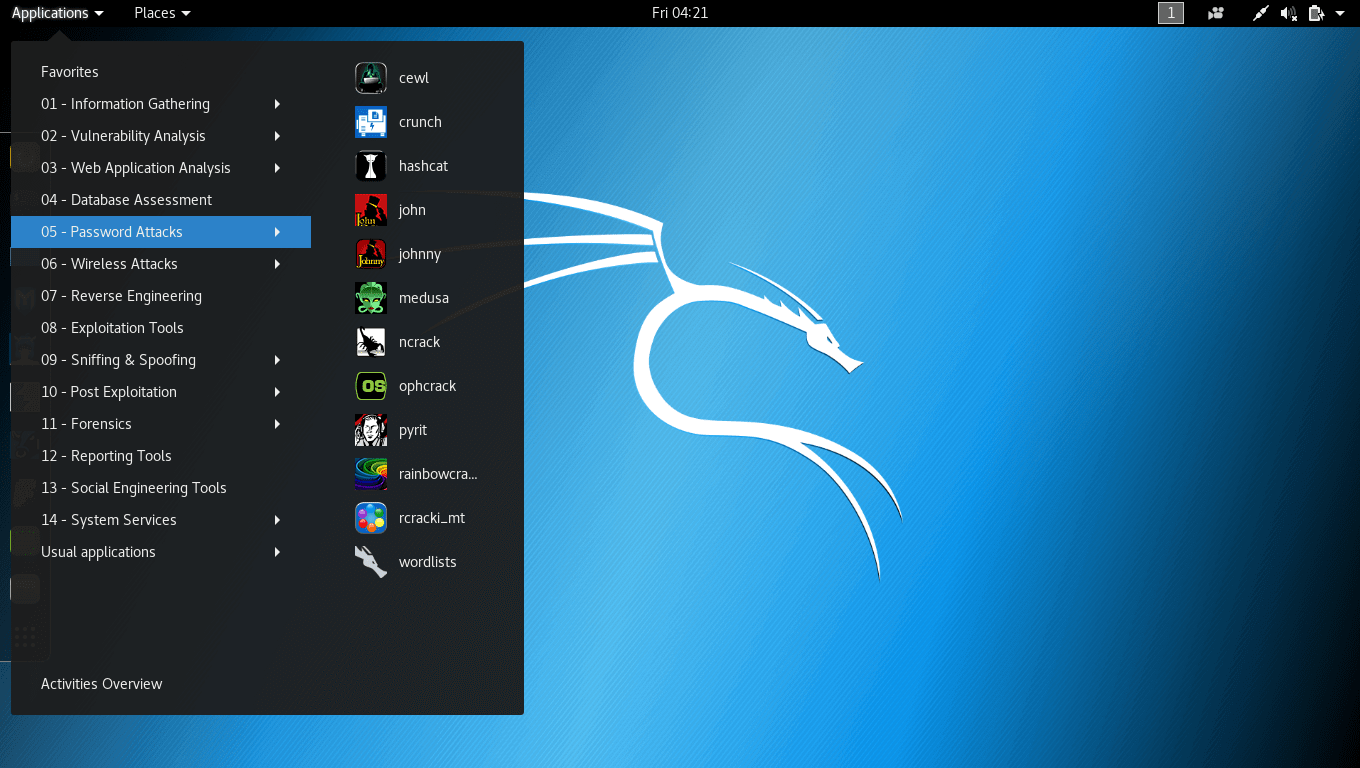 Kali Linux Distribution
Kali Linux is meant for Cybersecurity experts and students who want to venture into penetration testing. In fact, Kali provides industry-standard certifications such as Penetration Testing with Kali and Kali Linux Certified Professional.
Kali uses the APT package manager and the latest version is Kali 2020.2 and here’s a guide on how to install Kali 2020.2.
Download Kali Linux – https://www.kali.org/downloads/.
9. Arch Linux
Arch Linux is a lightweight and flexible geeky Linux distro designed for advanced users or Linux experts who care much about what is installed and the services running. It gives users the freedom to custom or configures the system, to their preference. In a nutshell, Arch is meant for users who really know the ins and outs of working with Linux.
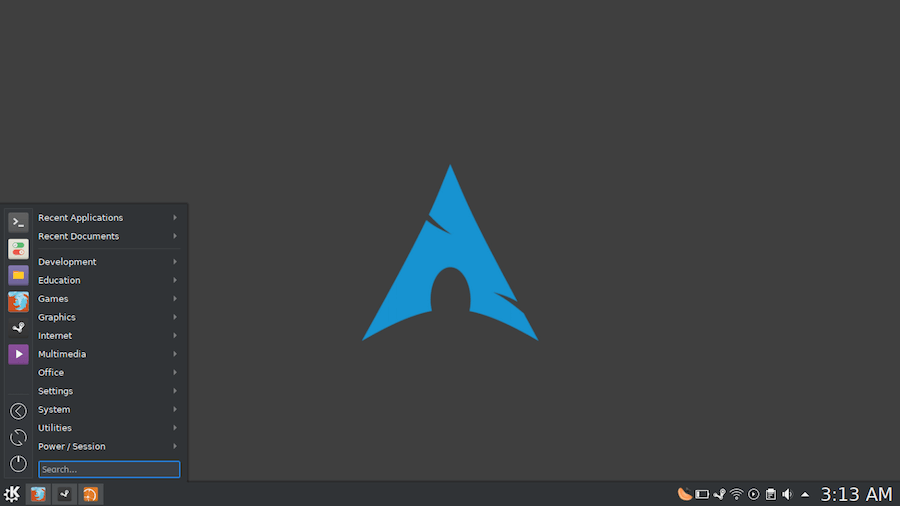 Arch Linux
Arch is a rolling release implying that it is constantly updated to the latest version and all you need is to update the packages on the terminal. It uses Pacman as the default package manager and leverages the AUR (Arch User Repository) which is a community to install software packages and the latest version is 2020.09.01.
Download Arch Linux – https://www.archlinux.org/download/.
10. OpenSUSE
The OpenSUSE project is a modern and comprehensive community project that provides 2 main SUSE branches: SUSE Leap which is a point release that targets desktop users as well as enterprise development and for testing purposes. This makes it a perfect choice for open source developers and System administrators.
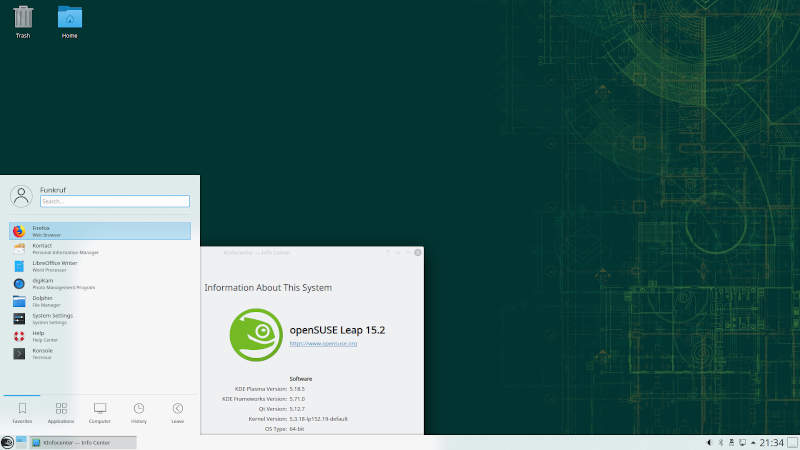 OpenSuse Linux
On the other hand, it has SUSE Tumbleweed, a rolling release that packs the latest software stacks and IDEs and is the closest you’ll get to a bleeding-edge distro. TumbleWeed is any power user’s or software developer’s piece of cake thanks to the availability of up-to-date packages such as office applications, GCC compiler, and the kernel.
OpenSUSE relies on the Yast package manager for managing software packages and is recommended for developers and system administrators.
Download OpenSUSE Linux – https://www.opensuse.org/.
thank you for watching
mr coder rohit
Please Share this course
TweetIt Looks like you have completed your course!! We have created Online series based on the above content. You can give a test and check your skill.
Be a Part of CollegeSpike by giving your precious comment here and help us in improving our content.
Self-assessment module
