Function in PHP
Function in PHP
In this chapter you will be getting technical know how of functions. Functions are useful in any type of programming language. Whenever you want to use a particular piece of code over and over again, it is very useful to put that code in a function. This is done so that the code can be reused easily. Another use of using functions is that whenever there is an error in the code, and then it has to be corrected only at one place; in the function. With the use of functions, the entire code can be understood easily.
Declaring Functions
Creating your own function in your script is a straightforward task. It is like creating a function in any other language. The functions in PHP begin with the keyword“function” which is followed by the function name. Following the function name there is a set of parenthesis which contains the parameters to be passed. These parameters are an optional set of variables passed to the function.
| Syntax |
|
function <name of function> ([$var1 [= constant]], [$var2 [= constant]], …) { Body of the function; } |
Your First Function
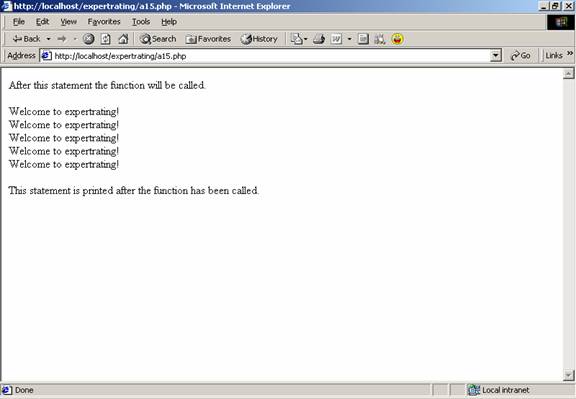
Now that you have got an idea of th2e functions, you are ready to start with functions. In the following example the string “Welcome to expertrating!” will be printed five times on the browser with the help of functions. By writing a single code once in a function, we can call the same function again in a script.
| Example |
|
<html> |
|
<body> |
|
|
|
<?php |
|
|
|
function fundisp() { |
|
for($i = 0; $i < 5; $i++) { |
|
echo "Welcome to expertrating!<br/>"; |
|
} |
|
} |
|
|
|
echo "After this statement the function will be called.<br/><br/>"; |
|
fundisp(); |
|
echo "<br/>"; |
|
echo "This statement is printed after the function has been called."; |
|
echo "<br/>"; |
|
?> |
|
|
|
</body> |
|
</html> |
Output
Passing Parameters to Functions
In this section we will be discussing about how to pass parameters to a function in PHP. A parameter of a function is a piece of data that a function requires to execute. If we define parameters formally then, function parameters are represented by variable names which are located within the parenthesis of the function definition.
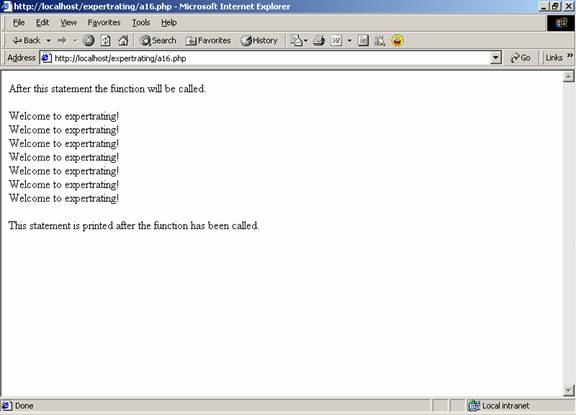
In the following example of passing parameters to functions we will be displaying the string “Welcome to expertrating!.” The difference that this example has got with the previous example is that, in this example the number of times the text will be displayed is not fixed, rather that number is passed as a parameter when the function is called.
|
Example |
|
<html> |
|
<body> |
|
|
|
<?php |
|
|
|
function fundisp($num) |
|
{ |
|
for($i = 0; $i < $num; $i++) |
|
{ |
|
echo "Welcome to expertrating!<br/>"; |
|
} |
|
} |
|
|
|
echo "After this statement the function will be called.<br/><br/>"; |
|
fundisp(7); |
|
echo "<br/>"; |
|
echo "This statement is printed after the function has been called."; |
|
echo "<br/>"; |
|
?> |
|
|
|
</body> |
|
</html> |
Output
Functions within Functions
In PHP a function can be embedded within a function. If a function is embedded within a function, then in order to call that function we have to first call the parent function. If we directly try to call the embedded function it will give an error.
In the following example the function func1 is called first and then the function func2 is called. If the function func2 is called without calling the function func1 then it will give an error.
|
Example: |
|
<html> |
|
<body> |
|
|
|
<?php |
|
function func1() |
|
{ |
|
function func2() |
|
{ |
|
echo "Welcome to expertrating.com! <br/><br/>"; |
|
echo "func2() is called after calling func1().\n"; |
|
} |
|
} |
|
|
|
//func1 will be called first. |
|
|
|
func1(); |
|
|
|
//func2 will be called after calling func1. |
|
|
|
func2(); |
|
?> |
|
|
|
</body> |
|
</html> |
Output

Returning Values
In PHP the values are returned from a function by using the “return” statement. With the use of return any type can be returned including string, lists and objects. The return statement ends the execution of the function and passes back the control to the line from which it was called.
In the following example we will see the use of return statement. In this example a function is written which checks for the smaller value. It returns a “yes” if the first value is smaller than the second one and a “no” if its not.
|
Example: |
|
<html> |
|
<body> |
|
|
|
<?php function lessthan($a, $b) { if($a < $b) { return "Yes"; } else { return "No"; } } $xyz = lessthan(26,22); echo "Is 26 less than 22?----$xyz"; ?> |
|
|
|
</body> |
|
</html> |
Output

Scope of the Variables
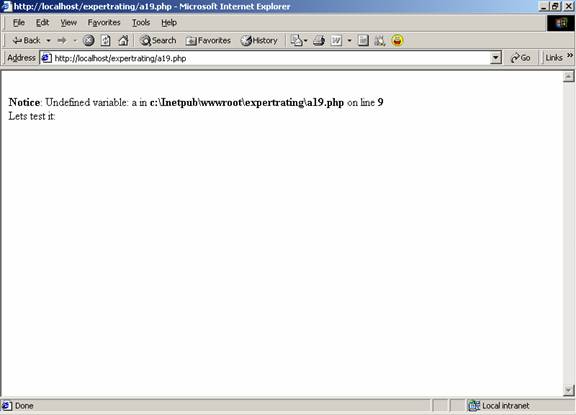
When a variable is declared in a function then it remains local to that function. This means that, that variable cannot be accessed from outside the function or by other functions. It is helpful when two variables of same name have been declared in different functions. This prevents you from accidentally overwriting the contents of a variable.
In the following example you will see how a variable defined in a function cannot be accessed from outside the function.
|
Example |
|
|
|
<html> |
|
<body> |
|
|
|
<?php |
|
function abc() |
|
{ |
|
$a = "Testing this variable"; |
|
} |
|
echo "Lets test it: $a <br/>"; |
|
?> |
|
|
|
</body> |
|
</html> |
Output
The Global Statement
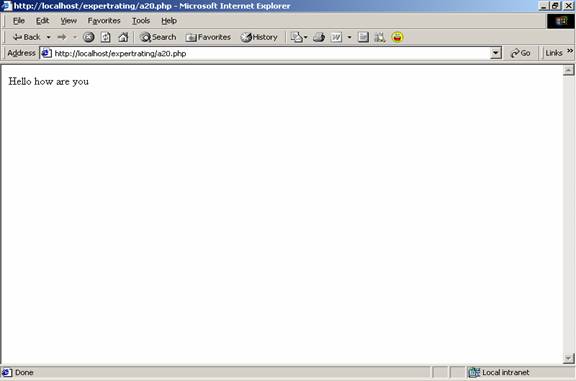
The global statement comes in handy when you want to access variables that are declared outside the function. In this if a variable is declared and assigned a value outside a function, and then we declare a global variable of the same name in the function, then that function can access the variable that has been declared outside the function.
In the following example we will show how a global variable declared inside a function can access the variable declared outside the function.
|
Example: |
|
|
|
<html> |
|
<body> |
|
|
|
<?php |
|
$a = "Hello how are you"; |
|
function abc() |
|
{ |
|
global $a; |
|
echo $a; |
|
} |
|
abc(); |
|
?> |
|
|
|
</body> |
|
</html> |
Output
The Static Keyword
The static keyword is used when declaring variables in functions. The purpose of the static variable is to inform PHP that this variable should not be destroyed when the given function executes. Instead of destroying that variable, the value of that variable is saved for the next time needed.
The static variable is used to retain certain variables within the function for the life of the execution of the script.
| Syntax |
| Static $variable [= initial value]; |
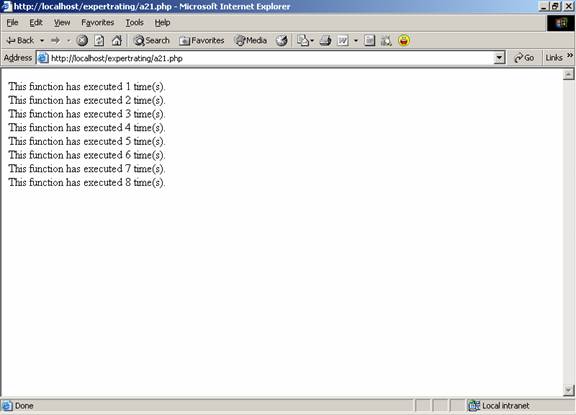
In the following example we will be using the static variable in the function to see that how many times a given function has been called.
| Example |
|
<html> |
|
<body> |
|
|
|
<?php |
|
function func() |
|
{ |
|
static $a = 0; |
|
$a++; |
|
echo "This function has executed $a time(s).<br/>"; |
|
} |
|
|
|
for($i=0; $i<8; $i++) |
|
{ |
|
func(); |
|
} |
|
?> |
|
|
|
</body> |
|
</html> |
Output:
Please Share this course
TweetIt Looks like you have completed your course!! We have created Online series based on the above content. You can give a test and check your skill.
Be a Part of CollegeSpike by giving your precious comment here and help us in improving our content.
Self-assessment module
